


Shipping is the real backbone of any eCommerce store. Customers want to know what delivery options they have and precisely how much they will pay. Merchants want a system that reflects the weight of the product, the value of the order, the destination and the cost of delivery. Magento 2 offers a few good choices out of the box (like Flat Rate and Table Rates) but if your store’s needs are more complicated, you’ll want to go beyond the basics.
Getting your shipping setup right does more than just avoid surprise costs. It makes checkout feel transparent, builds trust, and simplifies handling orders from all over the world. Adobe Commerce (which is Magento 2’s enterprise version) lets you fine-tune table rates using factors like destination, weight, total order price, or even how many items are in the cart.
Table of Contents
Why Shipping Configuration Matters in Magento 2
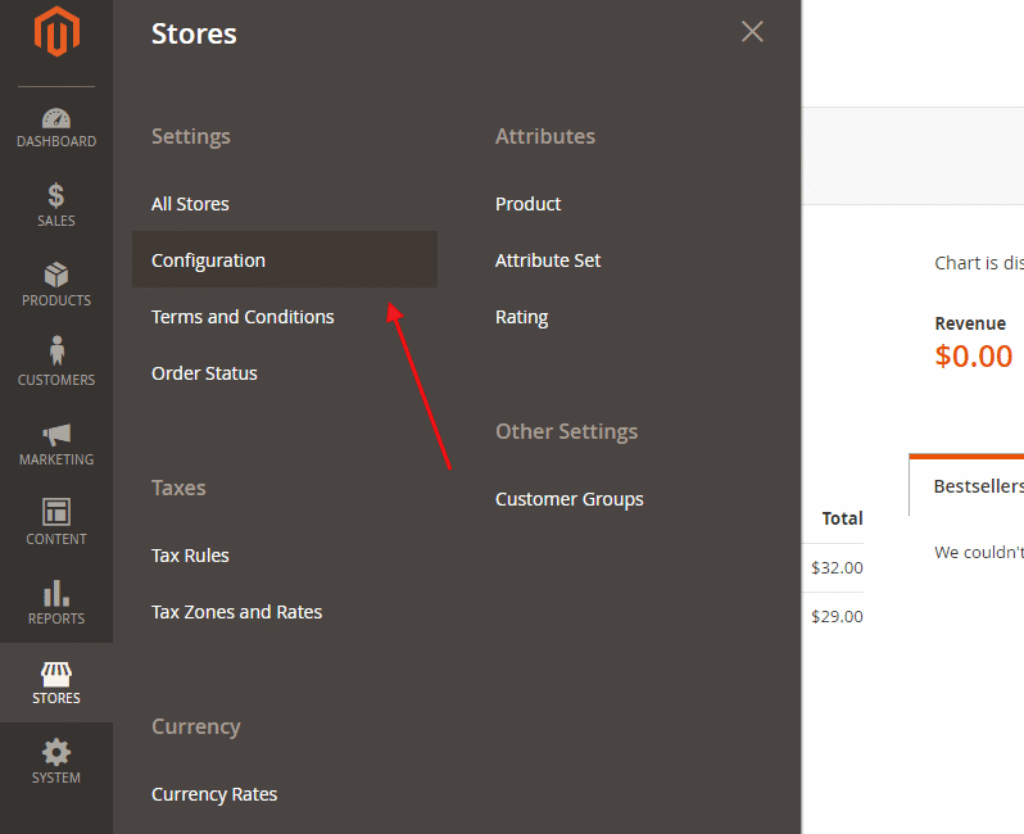
Source: amasty.com
A flat shipping fee might work fine when you’re just selling a few similar items, but it starts to show its limits as your catalog grows. Imagine selling both delicate phone cases and bulky furniture – the shipping costs for those are worlds apart. Charge everyone the same rate, and you’re either losing money on heavy orders or scaring off customers with lightweight purchases who feel overcharged.
Magento 2 lets you build shipping rules around real conditions. With the built-in Table Rates feature, you can set costs based on weight and destination, price and destination, or item count and destination – whatever matches your actual expenses.
Understanding Multiple Flat Rate Shipping
Magento 2 multiple flat rate shipping is simple – one fixed cost per order, or maybe per item. But let’s be real, that’s not always enough. You might want to offer standard and express delivery side by side, set a special deal for local customers, or charge more for certain products. That’s where multiple flat rates in Magento 2 really make life easier.
You get to create different shipping choices that actually fit the way you run your store. Group products, set different charges for specific areas, or adjust costs based on the total order. It’s not just about stacking up extra shipping methods, either. Each one needs a clear reason to be there, so shoppers always get why they’re paying what they’re paying – no surprises at checkout.
Using Table Rates for More Precise Calculations
Table-rate shipping shines when your shipping costs aren’t one-size-fits-all – they change based on measurable things. Magento lets you upload a CSV file with all your rate rules, then the system calculates costs using destination, weight, price, or item quantity.
For example, you might set one rate for orders under 2 kg and another for anything heavier. Or offer free shipping once a customer hits a $100 order total, but only for certain zones. This approach is especially powerful if you ship nationally or internationally – because let’s be honest, sending a package to a nearby city rarely costs the same as sending it halfway around the world.
Managing International Shipping More Effectively
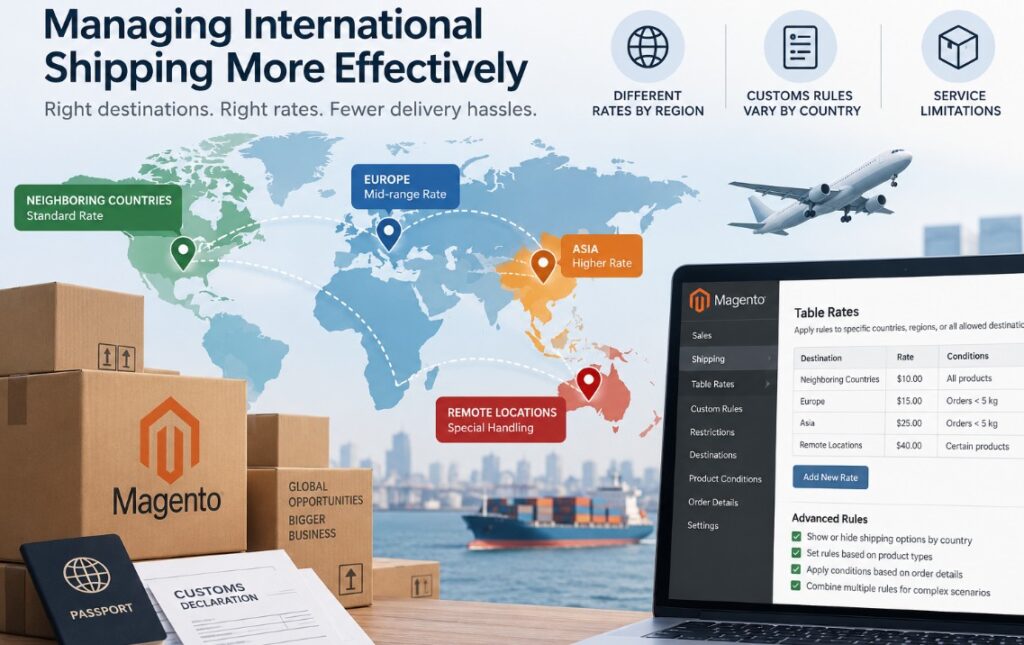
International orders are another matter. Distance plays a role in cost and carriers have different rates by region. Each country also has its own postal quirks, customs rules and service limitations. A smart Magento international shipping strategy begins with logically grouping destinations. Maybe you have one rate tier for neighboring countries, another for more distant markets, and some special treatment for locations where delivery is notoriously difficult or expensive.
Magento’s Table Rates let you apply rules to all allowed countries or just specific ones – so you can hide shipping options that don’t make sense for locations you can’t actually serve. Want to get even more granular? You can layer in rules based on product types, order details, or other conditions. (Amasty, for instance, has built shipping tools that show how combining table rates, custom rules, and restrictions can solve really detailed fulfillment challenges.)
Building Shipping Rules Around Products
Not every item in your catalog should ship the same way. A fragile glass vase needs different care than a paperback book. Oversized goods, temperature-sensitive stuff, or high-value items often demand special handling – and your shipping setup should reflect that.
A flexible Magento configuration lets you link specific products or product groups to particular shipping methods. As Amasty’s documentation explains, you can use “shipping types” to categorize items and apply unique rates to each group. This keeps you from accidentally applying a generic rule that ends up charging $5 to ship a feather-light earring or underestimating the cost to send a 50-pound appliance.
Testing Shipping Before Going Live
Never skip testing your shipping setup with real-world scenarios. A rule that looks perfect in the admin panel might behave unexpectedly when multiple conditions overlap – like a heavy order going to a remote destination with a promo code active.
Magento’s own advice is clear: test thoroughly. Try lightweight vs. heavy items, small vs. large carts, domestic vs. international addresses, multiple quantities, and products with special shipping needs. Also, deliberately check what happens when no shipping rule matches an order – you don’t want customers hitting a dead end at checkout.
Keeping Shipping Simple for Customers

Source: bsscommerce.com
Your Magento shipping rules can be very sophisticated under the hood but what the customer sees should stay clean and easy to understand. They need simple delivery names, accurate prices and helpful delivery estimates. Giving them half a dozen options that all sound similar only adds confusion.
You’ve got to walk a fine line between staying flexible and keeping things straightforward. Only show shipping options that actually make sense for what’s in their cart and where they want it shipped. With Magento 2, shipping isn’t just about adding cool features – it’s really about making sure your store reflects the real costs and logistics of getting orders out the door. When you get everything in the right place, shoppers are never surprised at checkout, and you maintain control over the way shipping works. Simple flat rates, complex table rules, complicated international orders…
Whatever you’re offering, the time spent setting things up properly keeps everything running smoothly.