


Accidentally deleting photos or videos on an iPhone feels worse than losing almost any other file. Most people notice it a few seconds too late, right after emptying the gallery or updating iOS. One moment your memories are there, the next they seem completely gone.
Thankfully, deleted files on iPhone and iPad are not always erased immediately. Apple includes several built-in recovery layers, and specialized tools can often help when the standard options fail. If you move quickly and avoid overwriting the device storage, there is a realistic chance of getting your photos and videos back.
Table of Contents
Why Deleted iPhone Photos Are Often Still Recoverable

Source: medium.com
A lot of users assume that deleted means permanently gone forever. iOS actually works differently. Apple temporarily stores removed files inside the Recently Deleted album before fully erasing them. According to Apple Support, deleted photos and videos remain there for up to 30 days.
That recovery window saves people constantly, especially after accidental deletion during storage cleanup.
Several factors influence recovery success:
- How recently the files were deleted
- Whether Recently Deleted was manually emptied
- If iCloud Photos was enabled
- Whether backups exist
- How heavily the device was used afterward
One thing many people miss is that iPhone storage continuously rewrites itself. The longer you keep taking photos or downloading apps after deletion, the smaller the recovery chance becomes.
Start With the Recently Deleted Folder

Source: breezy.ge
Before trying advanced recovery methods, check the simplest option first. Many “lost forever” photos are still sitting in Recently Deleted waiting to be restored.
Apple makes the process straightforward on both iPhone and iPad.
How to restore deleted photos and videos
|
Step |
What to Do |
|
1 |
Open the Photos app |
|
2 |
Scroll to Utilities |
|
3 |
Tap Recently Deleted |
|
4 |
Unlock with Face ID or Touch ID |
|
5 |
Select files and tap Recover |
After recovery, the files return directly to the original photo library.
One detail matters here. If photos are deleted from Recently Deleted, too, iOS treats them as permanently removed in most situations. Apple community discussions repeatedly confirm that recovery becomes much harder after that stage.
Apple officially states that deleted photos remain recoverable for 30 days before permanent deletion.
When Recovery Software Becomes Necessary
Source: macworld.com
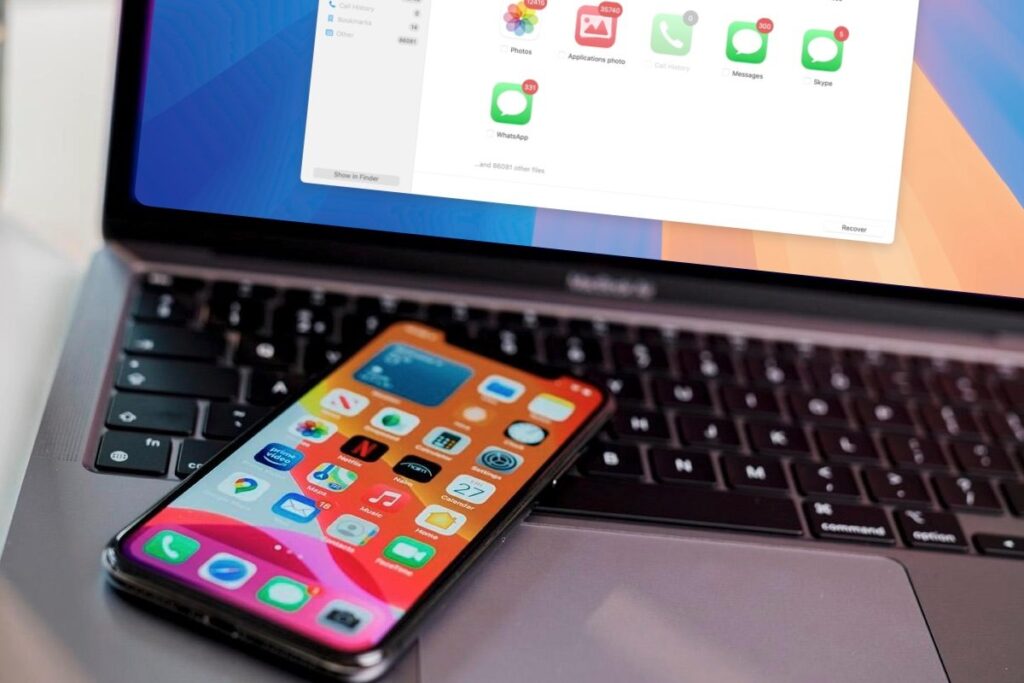
Sometimes, the normal Apple recovery methods simply are not enough. Photos may disappear after a failed iOS update, factory reset, broken screen, storage corruption, or accidental permanent deletion.
That is where dedicated recovery software becomes useful.
Many users turn to dedicated tools when Apple’s built-in recovery methods stop working. In more advanced cases involving failed updates, accidental deletion, or corrupted backups, professional iOS data recovery software like Stellar gives users additional recovery options for photos, videos, messages, and encrypted iTunes backups.
Unlike some basic recovery apps, Stellar allows users to preview recoverable files before restoring them. That sounds minor until you are searching for one important vacation video inside thousands of files.
The software can help recover:
- Deleted photos and videos
- Messages and attachments
- Contacts and call history
- WhatsApp and app media
- Notes and voice memos
Another useful advantage is selective recovery. Instead of restoring an entire backup, users can recover only the files they actually need.
iCloud Recovery Can Still Save Missing Files
People often forget that photos may still exist inside iCloud even after disappearing from the device gallery.
If iCloud Photos is enabled, deleted media may still appear through iCloud.com or another synced Apple device. Apple also provides recovery access through the iCloud Recently Deleted section.
Sometimes the issue is not the actual deletion at all. Sync interruptions, failed updates, or storage conflicts can temporarily hide photos from one device while they remain accessible elsewhere.
Signs your photos may still exist in iCloud
- Another Apple device still shows the files
- iCloud sync has recently paused
- Photos disappeared after changing Apple ID settings
- Storage optimization was enabled
- iOS was recently updated
Did you know? Apple acknowledged a rare iOS photo database bug where previously deleted photos unexpectedly reappeared on some devices.
That issue highlighted how complicated photo syncing and deletion systems really are behind the scenes.
Recovering Photos From iTunes or Finder Backups

Source: reboost.ch
If your photos disappeared more than 30 days ago, backups may become the best recovery path available.
Finder and iTunes backups often contain older versions of the photo library from before the deletion happened. Recovery tools like Stellar Data Recovery for iPhone can scan those backup files directly, including encrypted iTunes backups, without requiring users to fully reset the device.
That matters because a full backup restore can overwrite current data on the iPhone.
Before restoring or scanning a backup
- Check the backup creation date
- Save current files separately first
- Keep the device charged
- Use a stable connection
- Confirm the backup actually includes photos
Many users prefer scanning backups first instead of blindly restoring everything. Preview-based recovery saves time and reduces the risk of losing newer files already stored on the phone.
Apple also recommends checking Shared Libraries and Hidden albums before assuming media is permanently gone.
Situations Where Recovery Gets Much Harder

Source: thesweetsetup.com
Not every deleted file can realistically be recovered. Modern iPhones use strong encryption and secure storage systems that limit deep-level recovery after permanent deletion.
The hardest situations usually involve:
- Factory reset without backups
- Permanently deleted files older than 30 days
- Heavy device usage after deletion
- Water-damaged storage chips
- Hardware failure on inaccessible devices
Some recovery software may still retrieve cached previews or partial media files, but success rates vary depending on the storage condition.
One important rule stays consistent across nearly every recovery situation. Stop using the device immediately after noticing missing photos. Continued use increases the chance that deleted storage space gets overwritten permanently.
Simple Habits That Prevent Future Data Loss
Most people only think about backups after something important disappears. A few small habits can prevent that panic entirely.
Automatic cloud backups remain the easiest safety layer for most iPhone users. Local computer backups add another layer that becomes incredibly valuable during major iOS issues or accidental deletion.
Small steps make a huge difference later:
- Enable iCloud Photos
- Create regular backups
- Avoid instantly emptying the Recently Deleted
- Keep enough free device storage
- Export important albums occasionally
Losing photos and videos feels personal because those files often cannot be recreated. Recovery tools, iCloud syncing, and backup systems all improve your chances, but acting quickly matters most. If the standard Apple recovery methods fail, software like Stellar Data Recovery for iPhone gives users another practical option before assuming everything is permanently lost.